Multi-Factor Authentication (MFA) now in Vesta
2/19/2026 12:00:00 AM

M
ulti-factor authentication (MFA) will soon be enabled for Vesta.
This is part of our ongoing efforts to enhance the security of our online accounts.
MFA was first introduced on Advisor Corner to strengthen protection, and extending it to Vesta ensures a consistent, secure experience across our platforms.
Good news: if you’ve already set up MFA on Advisor Corner, no additional action is required. Vesta will use the same MFA methods (email or mobile) already linked to your Advisor Corner profile.
Here’s what to expect:
|
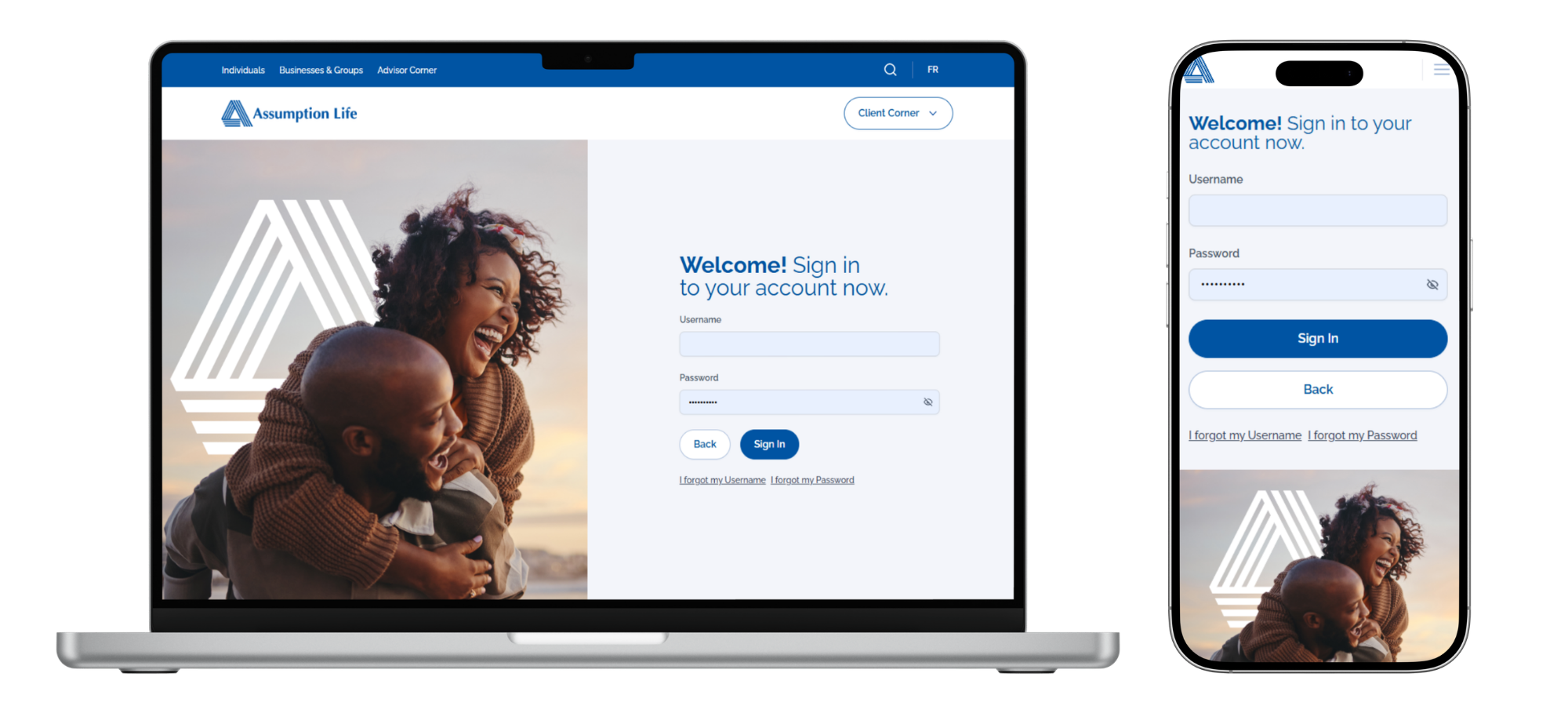
Step 1 – Sign in
You’ll see a new login screen. Enter your usual username and password.
|
 |
|
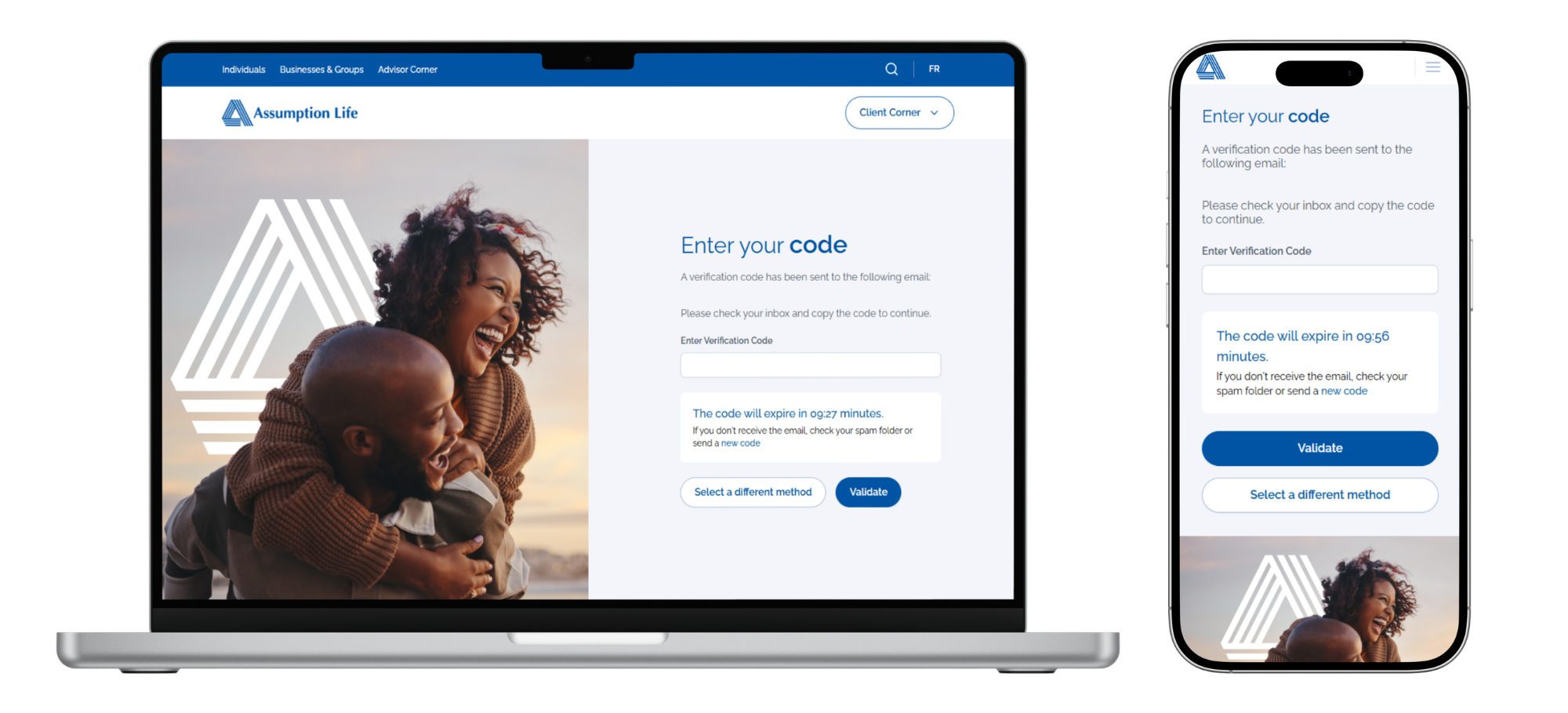
Step 2 – Verify
Confirm your identity by entering the one-time code sent to your email or mobile phone.
|
 |
|
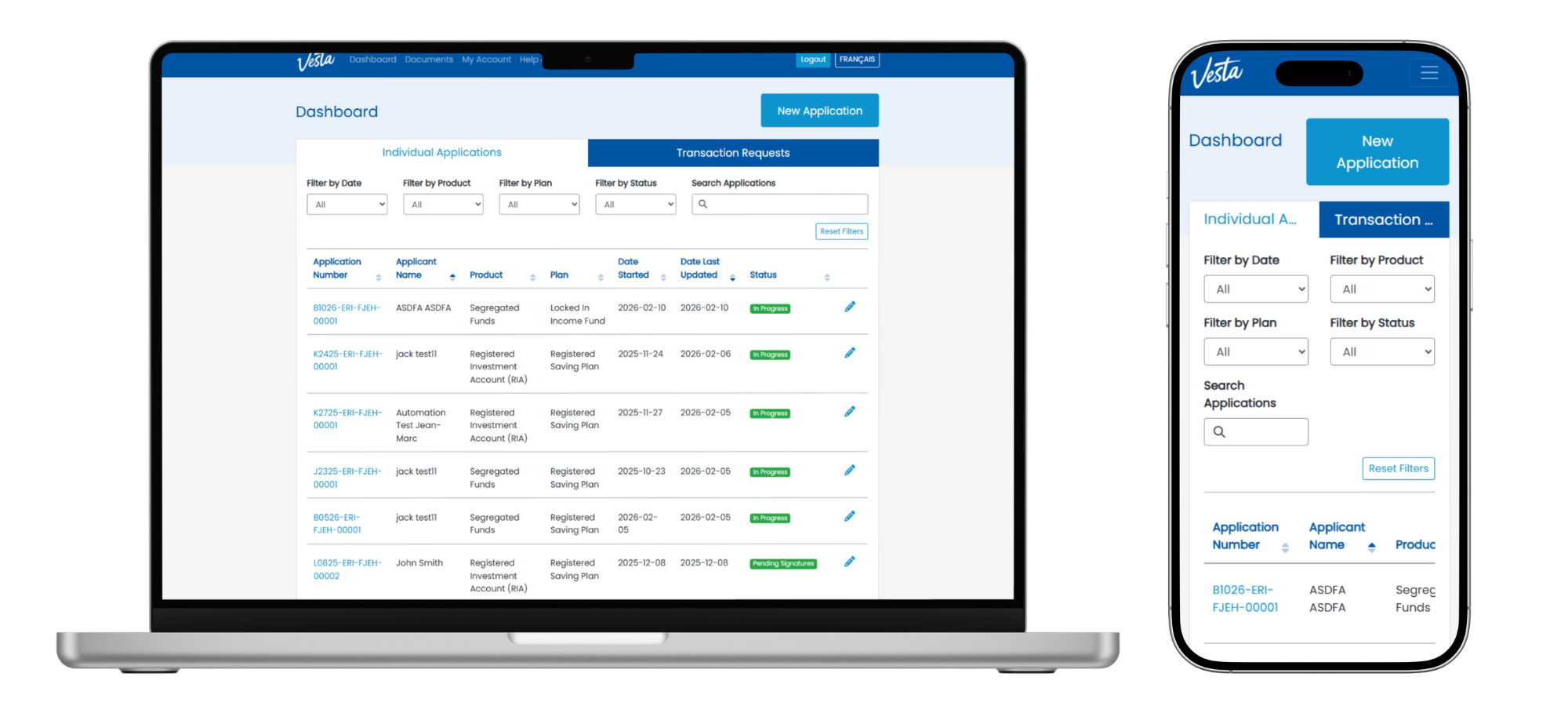
Step 3 – Access Vesta
Once verified, you’ll be directed to your Vesta dashboard.
|
 |
NEW
Access Vesta directly from Advisor Corner.
If you are already logged into Advisor Corner, simply select Vesta from the Quick Links menu on the home page—no additional login required.

If you haven’t already set up MFA on Advisor Corner, start by updating your contact information in your Advisor Corner profile to ensure a smooth transition. 👉
Click here for instructions
Need Help?
For guidance on setting up or using MFA, please refer to our
FAQ.